Menu
Log in


Contact us

For more information about joining the Business Technology Society or becoming a supporter, contact:

Business Technology Society
Doug (CEO) | +1 (435) 760-2011
James (President) | +1 (720) 960-6577


Submit the Support Request Form below for the most immediate assistance.

Frequently Asked Questions

I can't login

You have two separate logins. These systems are NOT connected and use different login credentials.

What are you trying to do? 

👉 Purchase or enter a code?
Use the Membership Site (log in with your email)

👉 Want to access your training?
Use the Learning Portal

1. BusinessTechSociety.org (Membership site)

The membership site is ONLY used to:

  • register with your coupon/code or
  • purchase membership 

Username: your email address

Password: from your welcome email 


2. Learning Portal

    Use the BTS Learning Portal to:

    • create your account (first-time users only)
    • access courses
    • complete training
    • earn your certificate

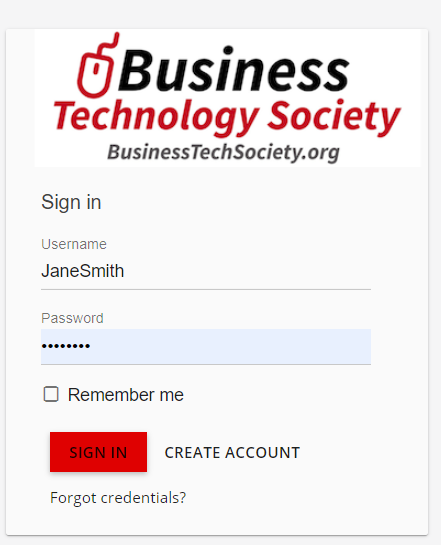
    First time logging in? Click Create Account

    Use the BTS Learning Portal login credentials from your email.

    • Username: System-generated  Not your email
    • Password:  Also generated by the Learning Portal.
    If you can't find the email, check your span/junk folder. 


       Module already open error


      This usually happens when a browser extension (like an ad blocker) is interfering with the course.

      ✔️ How to fix it

      • Disable your ad blocker for this site
      • Refresh the page
      • Try opening the module again

      "X"  instead of a check mark?

      👉 The "X" means the module is not finished yet.

      ▶️ Click the green play button and finish the module.

      ✅ Already have a check mark? You’re done — move to the next module. 


      Didn't receive my password reset email"

      👉 This usually means the email was filtered.

      ✔️ What to do:

      • Check your Spam / Junk folder
      • Search your inbox for “Learning Portal”
      • Wait a few minutes and try again

      👉 Some school email systems may block these emails.

      What is a Digital Badge?


      Digital badges are verified credentials you can share online. Learn about Digital Badges (FAQ).

      How do I access the Learning Portal?

      Here is the link to the BTS Learning Portal used to:

      • create your account (first-time users only)
      • access courses
      • complete training
      • earn your certificate

      First time logging in? Click Create Account

      Use the BTS Learning Portal login credentials from your email.

      • Username: System-generated  Not your email
      • Password:  Also generated by the Learning Portal.

      If you can't find the email, check your span/junk folder.

      If needed here are some more specific Learning Portal Instructions.


      Powered by Wild Apricot Membership Software